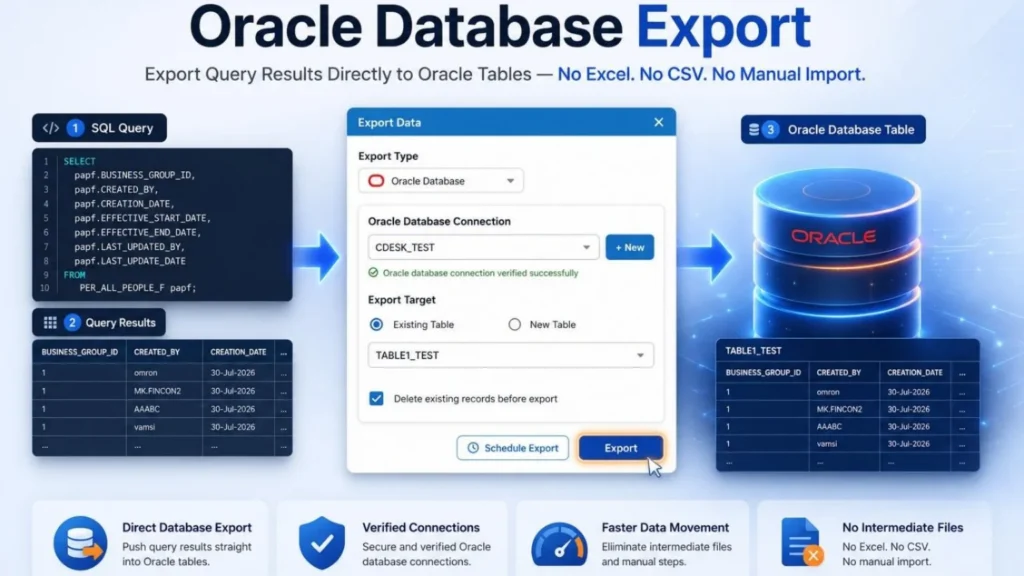
In many Oracle Fusion implementations, an Oracle Database plays an important role alongside Oracle Fusion Applications. Although Oracle Fusion is the system of record, organizations frequently maintain a separate Oracle Database to support reporting, integrations, custom applications, and data migration activities. Some of the most common use cases include:
| 🏛️ | Enterprise Data Warehouse Build a centralized data warehouse by combining Oracle Fusion data with data from other enterprise applications. |
| Reporting & Analytics Provide third-party reporting and analytics tools, such as Power BI, with direct access to Oracle Fusion data through an Oracle Database. | |
| Data Migration & Reconciliation Use an Oracle Database as a staging area for data migration, validation, and reconciliation activities. | |
| Oracle APEX Applications Host custom Oracle APEX applications that integrate with Oracle Fusion while maintaining their own application data. |
- Building a data warehouse that combines Oracle Fusion data with data from other enterprise applications.
- Providing third-party reporting and analytics tools, such as Power BI, with direct access to Oracle Fusion data through an Oracle Database.
- Using an Oracle Database as a staging area for data migration, validation, and reconciliation activities.
- Hosting custom Oracle APEX applications that integrate with Oracle Fusion while storing their own application data.
Because of these requirements, Oracle Fusion developers often need to transfer data extracted from Oracle Fusion into an Oracle Database. While querying data from Oracle Fusion is straightforward, loading the results into an Oracle Database has traditionally required custom scripts, ETL tools, or manual export and import processes.
CloudSQL now removes this extra step. With the new Export to Oracle Database feature, you can execute a SQL query against Oracle Fusion and load the results directly into an Oracle Database table, all from within CloudSQL. It provides a fast and convenient way to build reporting repositories, populate staging tables, and synchronize Oracle Fusion data with downstream systems without writing additional integration code.
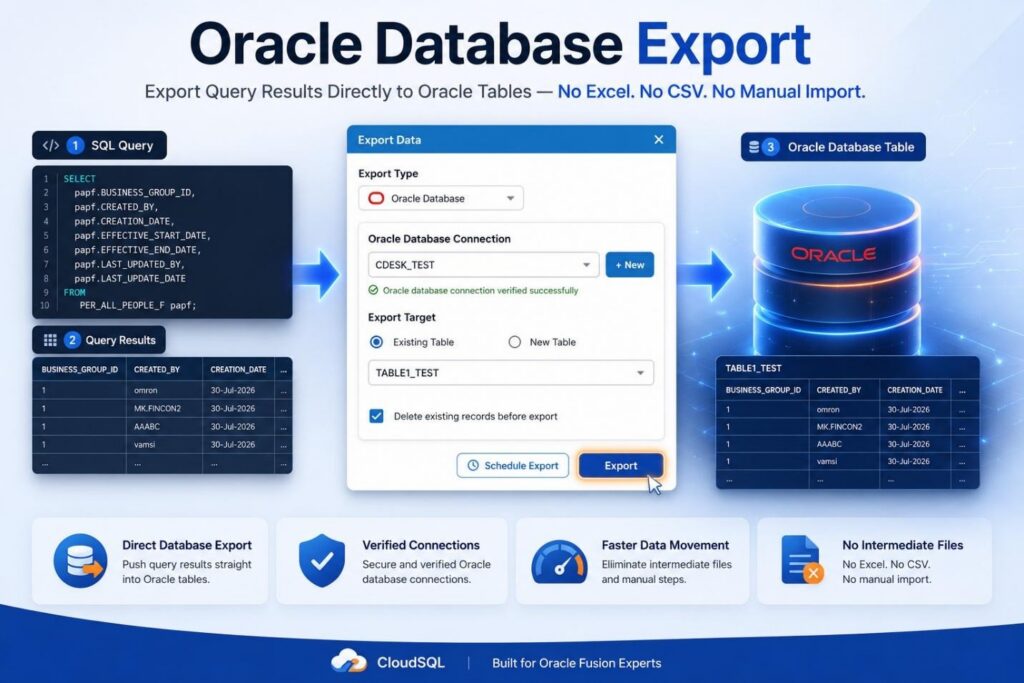
CloudSQL’s Export to Oracle Database feature adds this as a first-class export option, right next to Excel and CSV, so you can choose a live table as your destination instead of a file. Let’s see how it can be done
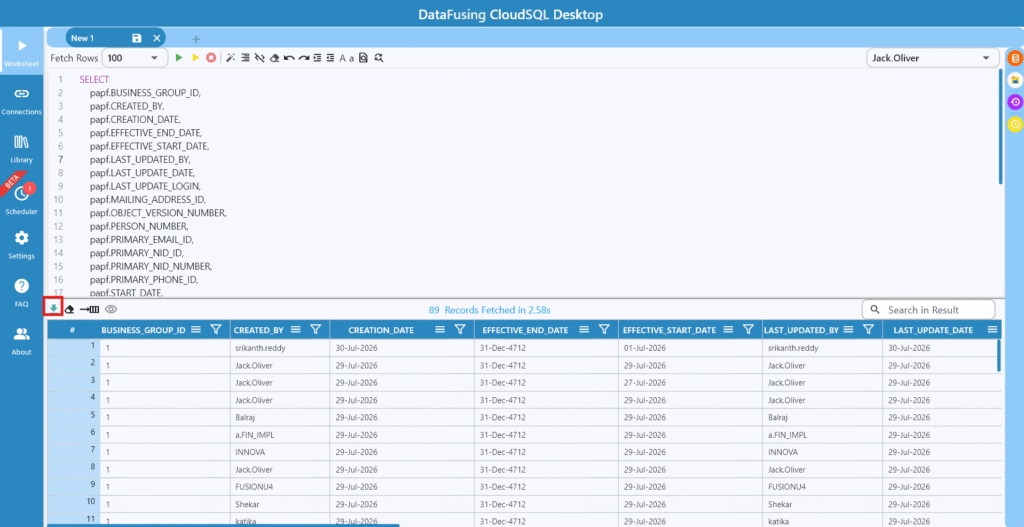
Step 1: Open the Export Window
Every export in CloudSQL starts the same way: click the export icon above your query results.
Step 2: Choose Oracle Database as the Destination
The Export Type dropdown lists Excel and CSV alongside Oracle Database. Selecting Oracle Database is what unlocks direct table-to-table movement no file, no manual reload.
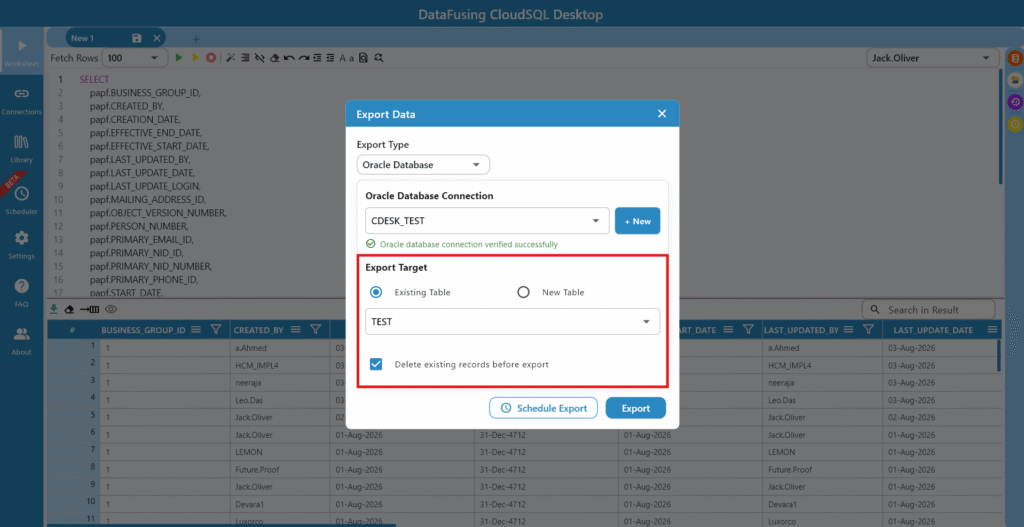
Step 3: Point to the Right Connection
Select the Oracle database connection you want to write to. CloudSQL verifies the connection on the spot, so you know before you export not after whether it’s actually reachable.
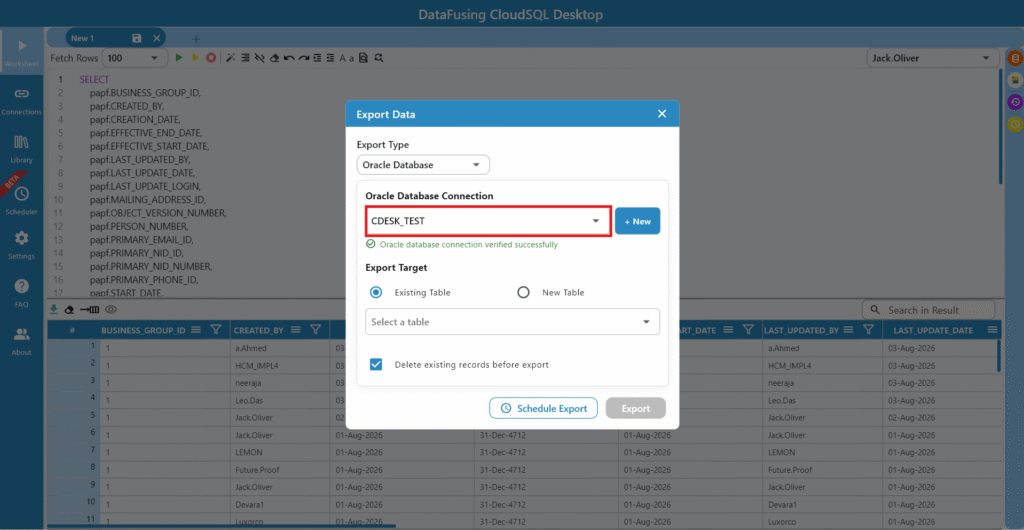
Step 4: Decide Where the Data Lands
If the destination table already exists, select it. If it doesn’t, switch to New Table and name it, CloudSQL builds it for you as part of the export, so you’re not stuck creating the table separately beforehand.
Step 5: Protect the Table from Duplicate Data
Without a way to clear old rows, a recurring export just keeps adding to what’s already there, and duplicate data quietly becomes a bigger problem than the one you were trying to solve. Checking Delete Existing Records handles this automatically, so every export leaves the table with a clean, current snapshot. This same screen also lets you schedule the export instead of running it on demand.
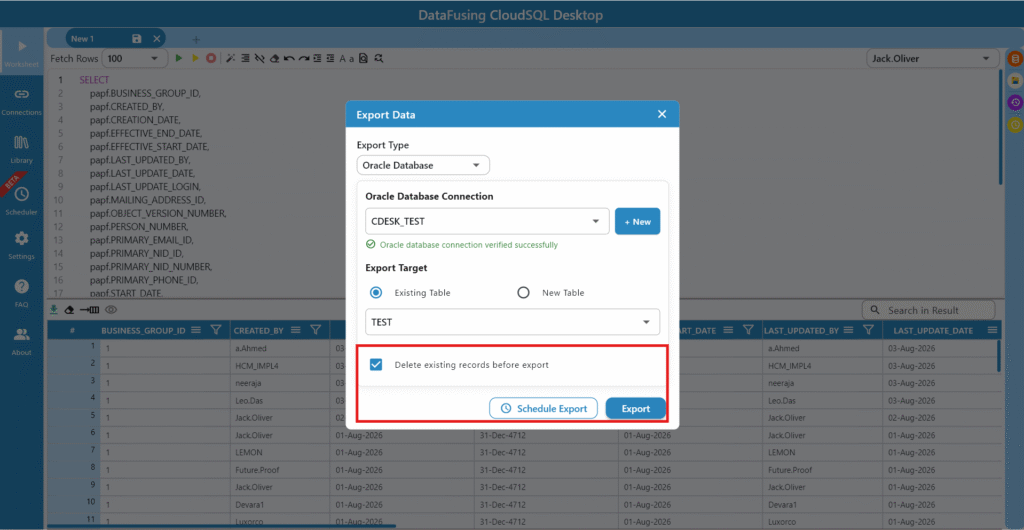
Step 6: Confirm It Actually Worked
After clicking Export, CloudSQL shows a summary rows processed, rows succeeded, rows failed so you’re not left guessing whether the export quietly dropped a few records.
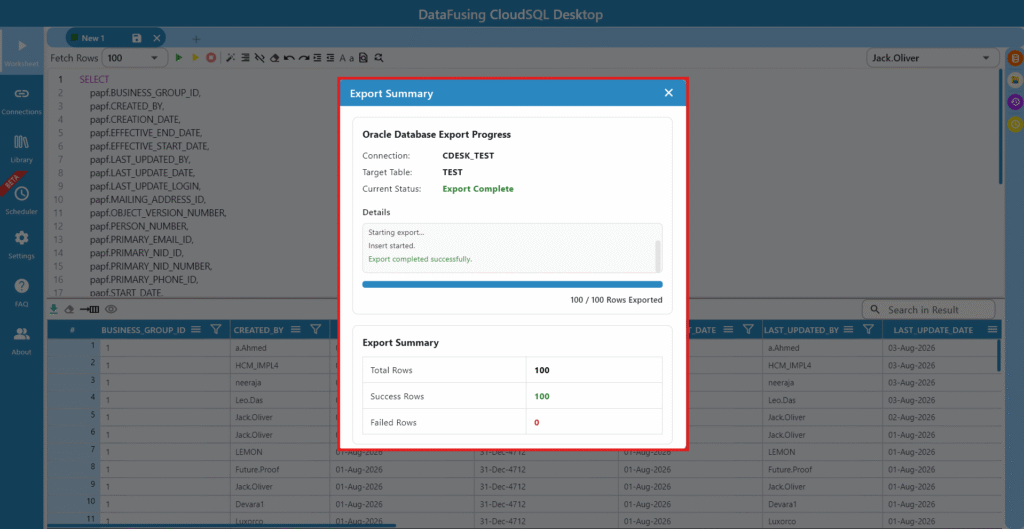
A Quick Reference
Here’s what each part of the export dialog actually controls:
| Setting | Why It Matters? |
| Export Type | Determines whether your results land in a spreadsheet, a CSV file, or a live database table. |
| Database Connection | Tells CloudSQL exactly which Oracle database should receive the data, critical when you manage more than one environment. |
| Export Target | Controls whether data goes into a table you already use, or a brand-new one built specifically for this export. |
| Delete Existing Records | Keeps a table from silently accumulating duplicate or stale rows every time the export runs. |
| Schedule Export | Turns a manual, repeatable task into something that happens automatically, on your timeline. |
A Feature That Assumes You Know Your Data
None of this replaces the judgment a developer brings to the table literally. Knowing which table should receive the data, whether old records should be cleared, and how often the export needs to run is still a decision that depends on your reporting requirements and your downstream systems.
What CloudSQL removes is the manual rebuilding of that same process every single time. The decisions stay yours; the repetitive execution doesn’t have to be.
Final Thoughts
How much time would you get back if exporting to a database table took the same effort as exporting to Excel? That’s really the question CloudSQL’s Export to Oracle Database is answering. With it, you can:
- Send query results directly into an Oracle table, no spreadsheet detour
- Create a new destination table on the fly, or reuse one you already have
- Keep target tables clean by clearing old records automatically
- Automate recurring exports with built-in scheduling
- Confirm success with a clear row-by-row summary
Whether you’re feeding a staging table, supporting an integration, or automating a recurring data load, this is one less manual step standing between your Oracle Fusion data and where it actually needs to be.
Curious how it fits into your own reporting workflow? Register for the free CloudSQL desktop trial and try it on your own queries.