Writing Oracle Fusion SQL is rarely a one-and-done task. Even experienced Oracle Fusion developers spend a significant part of their day refining queries, fixing syntax errors, and troubleshooting Oracle error messages.
A single missing parenthesis, an incorrect alias, or a misplaced join can lead to errors that take far longer to diagnose than to write the original SQL. The problem becomes even more challenging when you’re working with complex queries containing multiple WITH clauses, nested subqueries, analytical functions, and hundreds of lines of SQL.
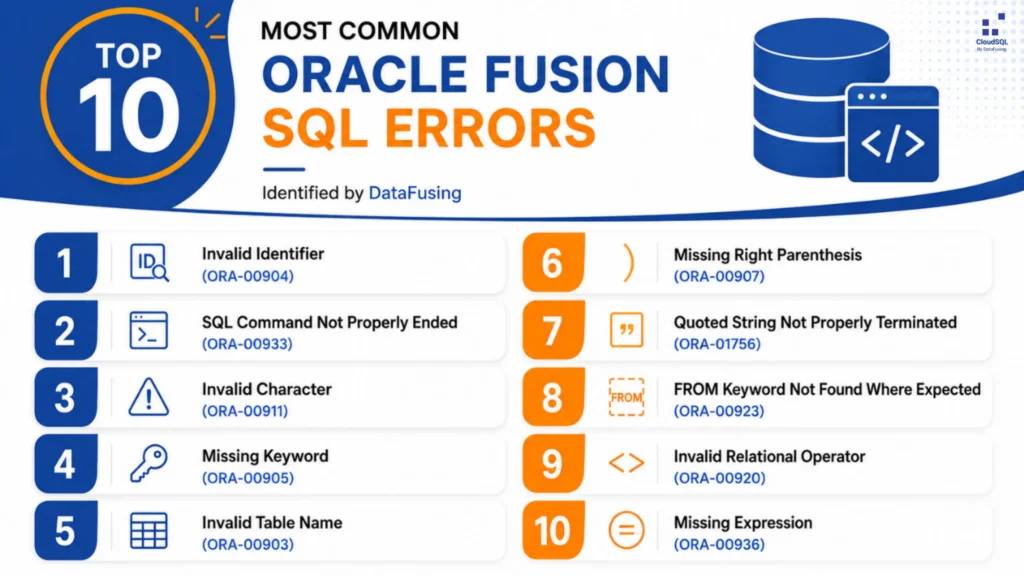
At DataFusing, we’ve painstakingly analyzed thousands of Oracle Fusion SQL executions to identify the errors developers encounter most often. Here are the top 10 Oracle Fusion SQL errors.
This is where AI can make a real difference.
CloudSQL’s built-in AI Agent helps Oracle Fusion developers identify SQL problems, suggest corrections, explain what changed, and continue improving queries using simple natural language instructions, all without leaving the SQL editor.
In this article, we will see how CloudSQL can help you fix Oracle Fusion SQL in seconds while keeping you in complete control of the final query.
Meet CloudSQL’s AI Agent
CloudSQL is a desktop SQL development tool built specifically for Oracle Fusion reporting and data extraction.
Its integrated AI Agent is designed to accelerate SQL development, not by replacing the developer, but by acting as an intelligent assistant that helps diagnose, correct, and refine SQL.
Unlike generic AI chat tools, the AI workflow is built directly into the SQL editor, allowing you to move from an Oracle error to a corrected query in just a few clicks.
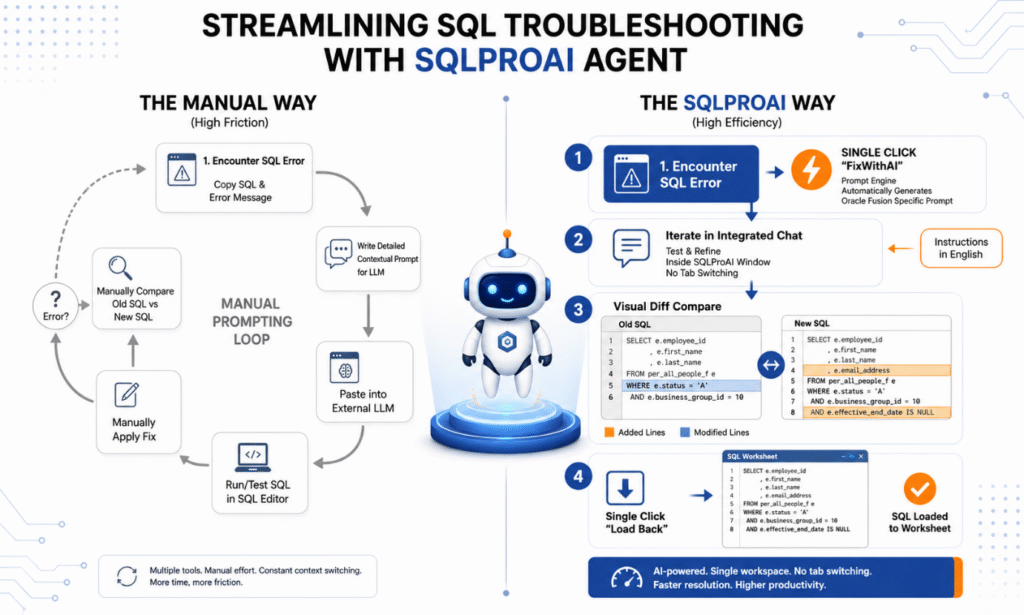
Step 1: Fix SQL Errors with One Click
When CloudSQL detects an Oracle SQL error, a Fix with AI option appears automatically.
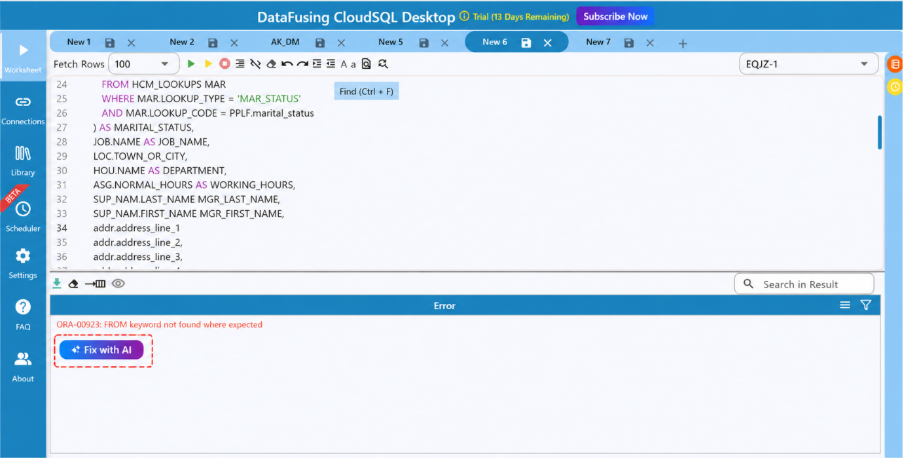
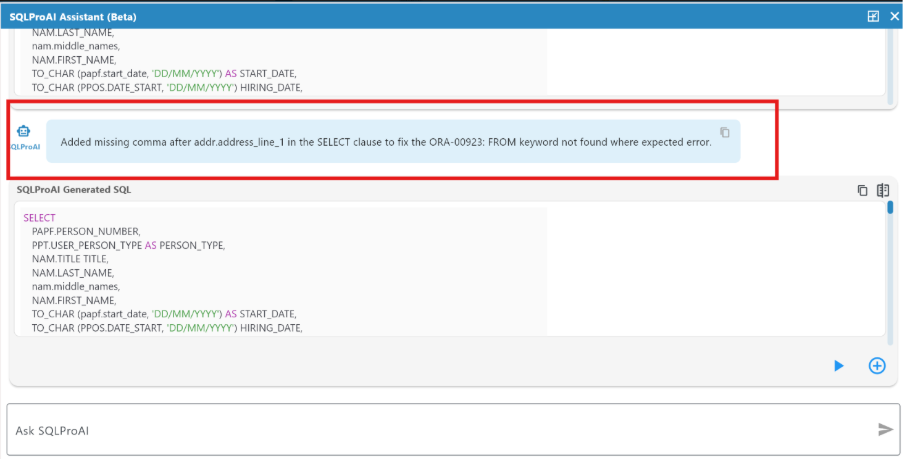
Instead of copying your SQL into an external AI tool, CloudSQL sends the SQL statement together with the Oracle error message to the AI Agent for analysis. Within seconds, the AI Agent returns:
- A corrected version of the SQL
- A clear explanation of what was changed
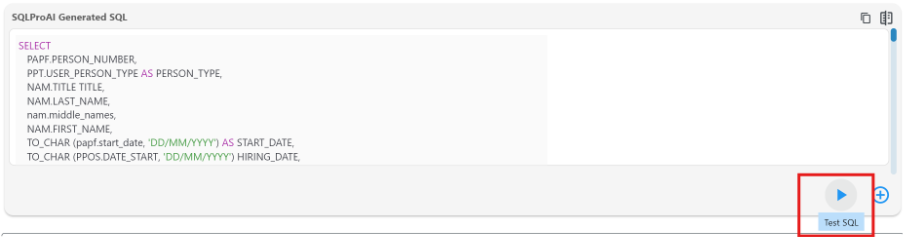
Step 2: Test the Suggested SQL
AI-generated code should always be validated. CloudSQL makes this easy by allowing you to execute the corrected SQL immediately from the AI panel.
With a single click, you can verify that the suggested changes resolve the Oracle error before replacing your original query.

Step 3: Compare Every Change
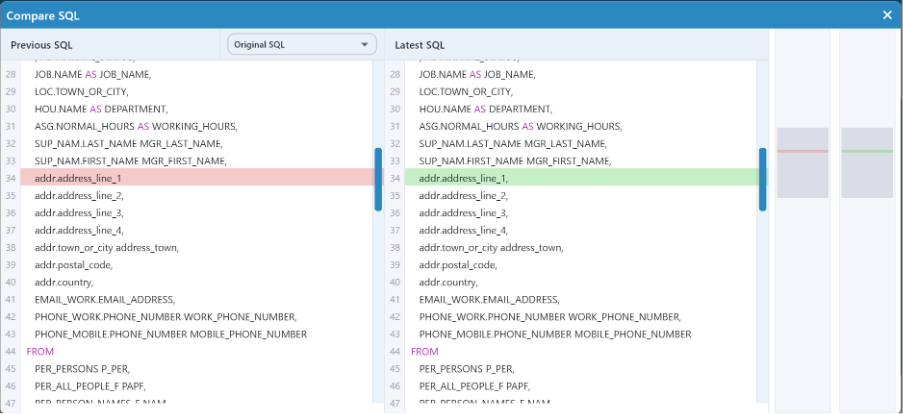
One of the biggest concerns developers have with AI-generated code is understanding exactly what changed.
Rather than asking you to blindly accept the AI’s output, CloudSQL provides a side-by-side comparison between your original SQL and the AI-generated version.
Every modification is highlighted, making it easy to review the changes before accepting them.
It keeps the developer in control while also making the AI suggestions an effective learning tool.
Step 4: Continue Improving Your SQL Using Natural Language
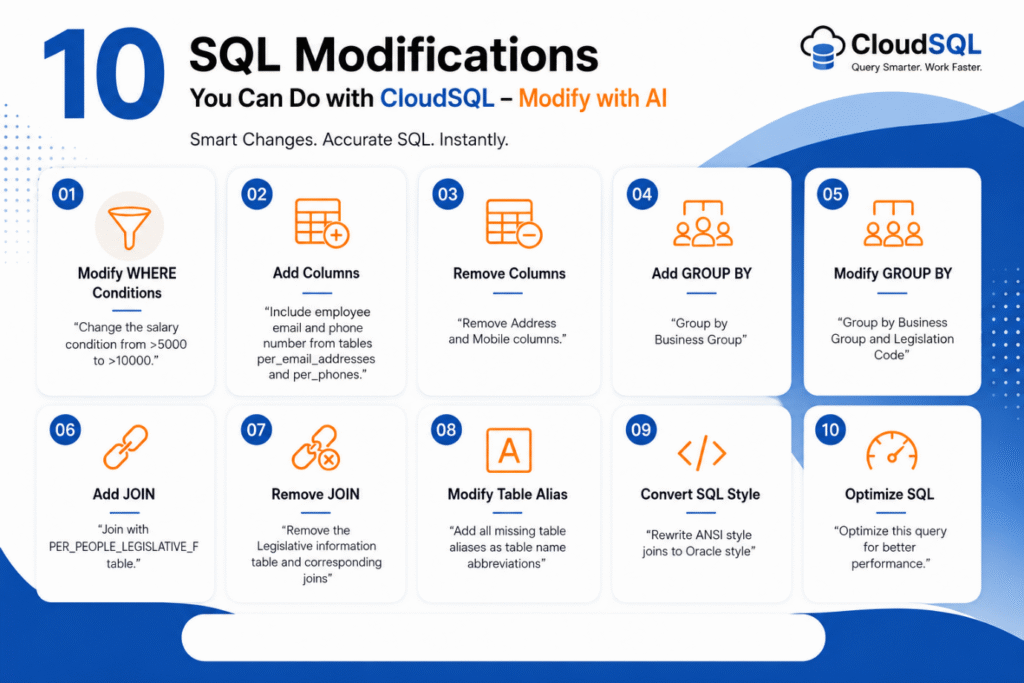
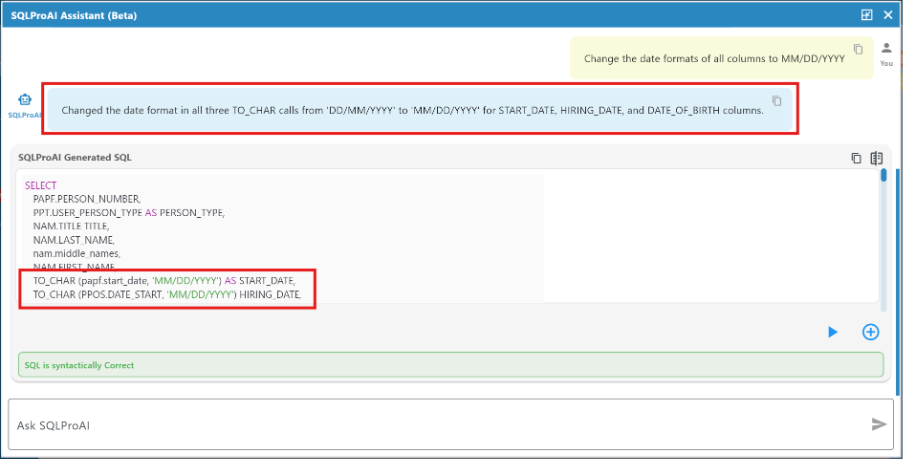
Fixing the error is often just the beginning. Once your SQL is working, you can continue refining it by chatting with the AI Agent in plain English. For example, you might ask it to:
- Add additional filters
- Include more columns in the SELECT list
- Rewrite joins
- Improve readability
- Refactor a complex query
- Simplify nested SQL
- Optimise the query structure
The AI Agent updates the SQL based on your instructions, allowing you to evolve your query without repeatedly editing large blocks of code manually.
Also Read: SQL to Get Person Details from Oracle HCM
AI That Works With Developers, Not Instead of Them
The goal of CloudSQL’s AI Agent isn’t to replace SQL knowledge. Oracle Fusion reporting still requires an understanding of business objects, security, data relationships, and reporting requirements.
Instead, the AI Agent removes much of the repetitive work involved in SQL development, helping developers resolve syntax errors faster, understand suggested fixes, and iterate more efficiently.
By combining AI assistance with developer expertise, teams can spend less time troubleshooting SQL and more time delivering reports and integrations.
Final Thoughts
Oracle Fusion SQL development doesn’t have to involve endless cycles of trial and error. With CloudSQL’s AI Agent, you can:
- Fix Oracle SQL errors in seconds
- Understand exactly what the AI changed
- Test corrections immediately
- Continue refining SQL using natural language
- Stay inside a single Oracle Fusion SQL development environment
Whether you’re building BI Publisher reports, OTBI analyses, data migration queries, or integration extracts, CloudSQL helps you write better Oracle Fusion SQL faster.
Ready to see CloudSQL’s AI Agent in action? Register the free trial and experience a faster, smarter way to develop Oracle Fusion SQL.