Oracle Fusion data extraction best practices are essential to feed downstream systems, facilitate proper reporting, and support advanced analytics. With Oracle Fusion being SaaS-based enterprise application and having restricted database access, extraction acts as a go-between operational data and decision-making.
Why Data Extraction?
Organizations use data from Oracle Fusion to provide it to other internal applications, external partners, and enterprise data lakes. For example, when a firm develops a data lake solution, it will have to fetch data on a regular basis from all the business systems, including Oracle Fusion, so that it can keep the analytics environment uniform.
Another common example is payroll outsourcing. Companies can engage providers like ADP to handle all payroll operations.
To process payroll, these providers require employee, payroll, benefits, and absence data in a specific file format. Ensuring automated and timely data extraction from Oracle Fusion is critical to maintaining smooth and error-free payroll cycles.
Why Robust Data Extraction Frameworks are Important?
An extraction framework well designed guarantees data flows consistently, securely, and according to agreed Service Level Agreements (SLA). The extraction frequency varies from hourly near-real-time updates to yearly bulk exports, and without automation, delays, data mismatches, and operational inefficiencies jeopardize organizations.
Common Pain Points
Common issues are slow extract jobs, long latency to data availability, high payload sizes, and data mismatch between Oracle Fusion and the target systems. These issues not only cause performance bottlenecks but can also impact compliance and business continuity.
This article will address: Extraction choices in Oracle Fusion, typical issues, incremental vs. full extraction strategies, tooling and architecture implications, and real-world best practices to enable solid, effective, and compliant data flows
Also Read: Oracle Fusion Data Model & Table Structure Overview
Data Extraction Options in Oracle Fusion & Their Use Cases
Oracle Fusion has several data extraction tools and processes. Each has its merits, and the trick is to choose the appropriate one based on use case, data volume, and frequency
BICC (Business Intelligence Cloud Connector): For bulk and incremental extracts. Useful for sending huge volumes of data-to-data warehouses or data lakes and allows for scheduling.
- OCI Data Integration (Managed Incremental Extract): Provides automated incremental extraction with lower development effort. Sometimes powered by BI Publisher or APIs, it facilitates bulk as well as small-scale extractions
- HCM Extracts: A high-end extraction engine for HR and payroll information. It is powerful enough for routine feeds to payroll providers, benefits vendors, and regulatory agencies.
- REST/SOAP APIs: Provide real-time access to individual records or transactions. REST APIs are newer, lightweight, and well-suited for integrations needing smaller payloads or near-real-time
- BI Publisher (BIP): Allows flexibility to build and generate custom reports and export them in a variety of formats like CSV, XML, or Excel. Suitable for both ad-hoc and scheduled extractions. There are bursting options to send the extracted data to various targets such as emails.
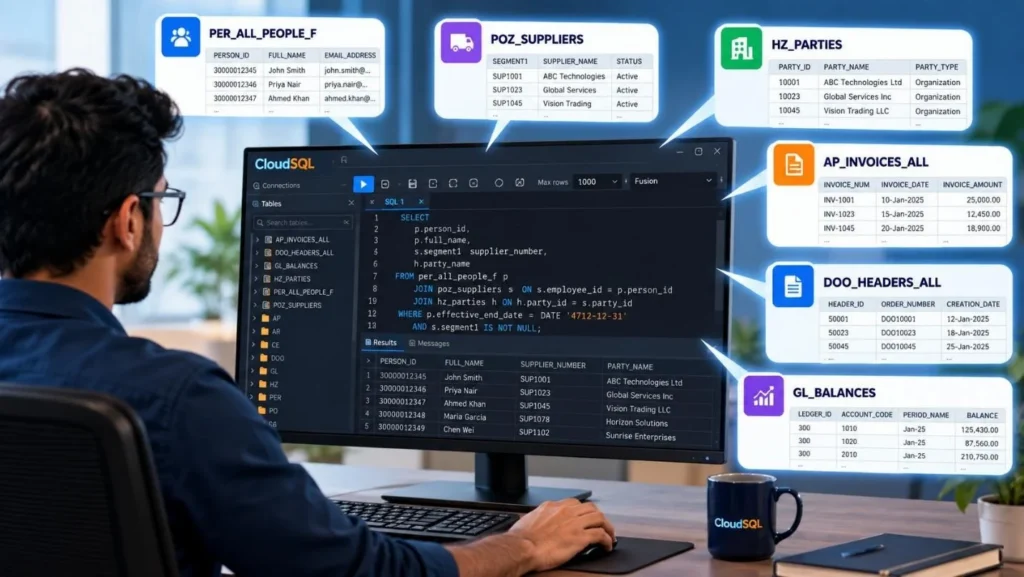
- CloudSQL (SQL Editor for Oracle Fusion): Facilitates ad hoc extract of data using SQL queries. It is very useful for one time data extracts for a specific business requirement.
Common Challenges in Oracle Fusion Data Extraction
While Oracle delivers strong tools, organizations frequently encounter pragmatic limitations to performing extractions at scale.
- Large-Volume Extraction Issues: Extracting extremely big files may result in timeouts, high memory consumption, or downstream slowdowns. Integration tools such as OIC have a metered pricing model based on file size, which makes big files pricey and inefficient.
- Data Latency vs Freshness: Certain business processes require near-real-time data, but the extract jobs take a few minutes to hours, overloading system resources on Oracle, the network, and target applications.
- Data Inconsistencies and Complexity: Data extractions and transfers many a times requires heavy programming effort, frequent bug fixes, and long maintenance are needed, resulting in inconsistencies in the extracted data if not handled properly.
Incremental vs Full Data Extract
While Oracle delivers strong tools, organisations frequently encounter pragmatic limitations to performing extractions at scale. Architects needs to understand the implications of the data volume and the extract complexity.
Full Extract
A full extract involves retrieving the entire dataset in a single run. It is typically used for initializing data lakes, archiving large volumes of information, or rebuilding downstream systems that require a complete data snapshot.
However, this approach has drawbacks, including the heavy data volume, which can strain processing resources, increase extraction time, and lead to significant costs in metered network transfers.
Incremental Extract
An incremental extract retrieves only the data that has changed since the last extraction. This approach is most appropriate for daily or hourly updates, as it optimizes payload size while ensuring that data remains fresh.
The obvious advantage of this approach is limiting the data volume leading less load on processing and network resources. However, there are some limitations on its implementation.
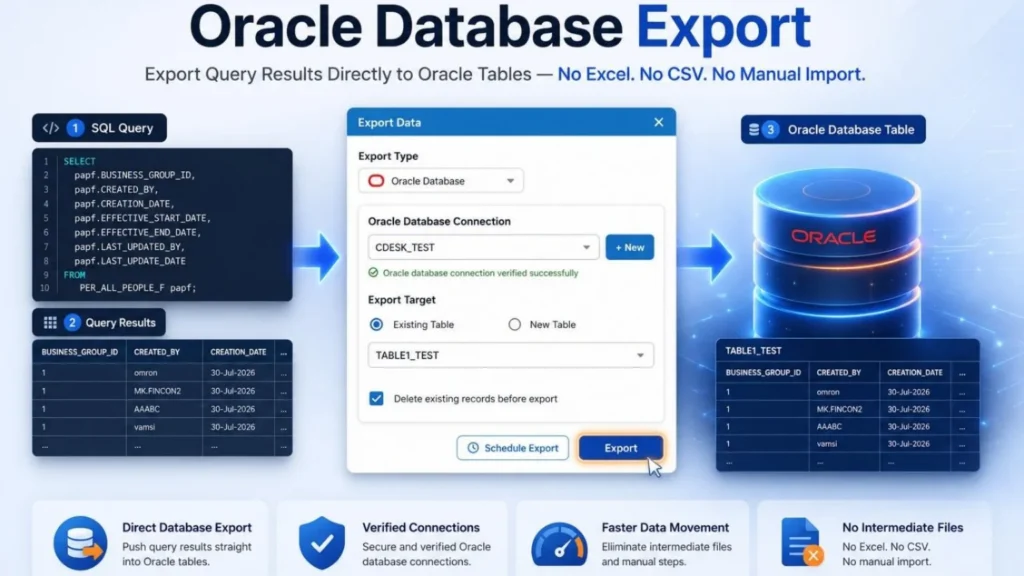
Incremental updates in Oracle Fusion are enabled by the use of WHO columns. Most Oracle Fusion tables include columns named CREATED_BY, CREATION_DATE, LAST_UPDATED_BY, and LAST_UPDATE_DATE, collectively referred to as WHO columns.
These columns capture when and by whom records were created or modified, making them essential for implementing incremental extraction strategies.
- Extract Complexity: A large data extract may involve as many as 20 database tables in a typical scenario. Tracking changes across multiple Oracle tables can be challenging, and the associated SQL logic often becomes too complex to manage efficiently.
- Target System Limitations: Some downstream systems cannot handle incremental updates and require full replacement files. Thus making incremental updates impossible.
Must Read: Oracle Fusion Reporting Challenges Explained
Best Practices for Efficient Data Extraction
- Prefer incremental extracts whenever supported but always maintain a fallback option for full extracts to recover from inconsistencies. IT teams should have the ability to run full extracts when required.
- Extract only the required columns to reduce payload size. Conduct requirement workshops with stakeholders to avoid unnecessary fields, as business users often request “all data,” which increases pressure on development teams and resources.
- Apply strong filters such as date ranges or status conditions to exclude inactive or irrelevant records. For referential tables, however, include even inactive and end-dated values (e.g., from FND_LOOKUP_VALUES), since they may still exist in historical records.
- Break large extractions into smaller batches to avoid timeouts and improve stability. Splitting data by date, business unit, or region can help, though it introduces additional complexity that must be carefully managed.
- Match the extraction method to the business need, use BICC for bulk extracts to external systems, REST APIs for real-time integrations, and BI Publisher reports for formatted outputs.
- Implement consistent commit and retry logic to handle failures gracefully. A failed load should never result in partially loaded records, and retries of the same or similar file should automatically correct issues.
- Automate and schedule extracts during off-peak hours to minimize impact on system performance.
- Enable monitoring and alerting for scheduled extracts to ensure timely issue resolution. Maintain a flexible and regularly updated list of business and IT users who should be notified in case of failures.
Tooling & Architecture Considerations
When planning a data extraction strategy, it’s important to think about which tools to use and how the data flows through your systems. This is often called the “architecture” of the solution.
Oracle Integration Cloud (OIC)
Oracle Integration Cloud (OIC) helps automate and connect different systems. You can use it to move extracted data from Fusion into other internal and external applications like payroll, banking etc.
Use Oracle Integration Cloud (OIC) for frequent real-time or batch data requirements with manageable data volumes. OIC is a powerful and flexible platform capable of handling complex transformation logic when needed. However, it requires specialized development and ongoing maintenance effort, which should be factored into planning.
Important Note for Beginners: OIC charges based on data size (measured in “tokens,” each about 50 KB). This means very large files can become expensive to process through OIC. For large-volume extracts, it’s better to send data directly to storage like Oracle Object Storage and then use third-party ETL tools for further processing.
Oracle Business Intelligence Cloud Connector (BICC)
BICC is the tool that Oracle recommends to extract large quantities of data from Fusion Applications. BICC supports full and incremental extracts and is particularly useful when loading into data warehouses or data lakes. Featuring built-in scheduling and integration capabilities, BICC is a stable and scalable bulk data extraction method.
Beginner Tip: Employ BICC when you require high-volume exports. It minimizes the reliance on custom SQL and is pre-optimized by Oracle for Fusion data.
SOAP/REST APIs Invoked from Third Party Systems
SOAP and REST APIs provide real-time or near-real-time access to Fusion data. REST APIs are lighter, faster, and simpler to use for small-scale, on-demand requests, whereas SOAP APIs are more classical and utilized for intricate or legacy integrations.
Beginner Tip: Employ APIs when you require smaller, more frequent data exchange (such as retrieving one employee record immediately), not when handling millions of rows.
BI Publisher Reports with Bursting
BI Publisher allows you to create custom reports and export them in various formats like CSV, XML, or Excel. Bursting in this allows you to deliver extracts directly to destinations like email, FTP, or content servers. This makes it highly adaptable to both scheduled and ad-hoc reporting.
Beginner Note: BI Publisher is optimal when data must be sent in a certain file format or automatically delivered to several recipients.
CloudSQL
CloudSQL is an Oracle Fusion SQL-based tool that allows you to execute ad-hoc queries directly against Fusion’s data model. It is particularly useful when you require one-time extracts for analysis, debugging, or troubleshooting without creating permanent integrations. To know more about CloudSQL check our blog on Running your First SQL with CloudSQL.

Beginner Tip: Utilize CloudSQL for rapid, ad-hoc queries to data. It is not suitable for bulk scheduled extracts but is ideal when business users require instant answers.
Data Quality & Validation Approaches
Extracting data is only half the job, making sure it is accurate and complete is equally important. This is where data quality checks and validation come in.
Testing Cycles
Before scheduling a data extract in the production system, the extraction code should pass through multiple testing cycles across different environments. Unit testing, integration testing, and user acceptance testing (UAT) are essential for both initial implementations and subsequent incremental changes.
These cycles help ensure that the extract is correctly formatted, contains the appropriate fields, and meets business requirements.
What to Test?
For a data extract process, it is important to test at least the following items (this list is not exhaustive):
- Record Counts: Compare the number of records in the extract and target system against the Oracle Fusion source. Existing reports or system features can be used to get the counts from Oracle Fusion.
- Balances for Transactional Data: Verify that balances match between the source system, the extract, and the target system to ensure data accuracy.
- Field-Level Checks: Sample data can be manually reviewed, but it is more reliable to use programmatic checks such as VLOOKUP in Excel or SQL comparisons to validate each field.
- Incremental Changes and Fixes: Run parallel extracts using the old and new code and compare results. Only the intended changes should appear between the two datasets.
Monitoring a Data Extract Process
When designing a data extract, it is important to anticipate error scenarios and plan for ongoing maintenance. Like any software, extract processes can fail, and timely notifications to IT and business teams are essential. Error alerts can be built directly into the extract process or handled by a separate monitoring system that checks for expected files.
For example, if a payroll file is expected every Friday at 6 PM, the monitoring system should send an immediate alert if the file is missing. In addition to error alerts, periodic extracts should provide success and error counts to business or IT users. While frequent notifications for high-volume interfaces may be overwhelming, they provide a useful audit trail.
Tip: Maintain separate mailing lists for routine notifications and error messages. This ensures that messages are delivered according to severity and to the appropriate recipients.
Periodic Full Loads
Even when using incremental extracts, it is good practice to run a full extract occasionally. This helps reset and validate the data in the target system.
For example, running a full extract once a quarter ensures that no incremental updates were missed. It also allows recovery from errors after a code fix. IT teams should have the ability to schedule these full extracts as needed.
You Can’t Ignore: Top Methods to Debug Oracle BI Publisher Error Quickly
Security, Governance & Compliance Best Practices
When working with Oracle Fusion data extraction, security and compliance are just as important as performance. Sensitive data such as employee details, payroll information, or financial records must be handled carefully to avoid risks of data leaks or regulatory violations. Below are the key areas every beginner should understand.
Role-Based Access Control
Not everyone in the organization should have the ability to create or run extracts. Oracle Fusion manages access through roles.
- For example, BI Publisher roles allow users to design and schedule reports, while BICC roles give access to perform bulk data extractions.
- Best practice is to use the principle of least privilege, assign users only the roles they need to perform their work.
- In production environments, direct access to extraction tools should be tightly controlled, with approvals and audits in place.
Encryption
Encryption is the act of changing plaintext data into unreadable form (cipher text) so that authorized users possessing the right decryption key can read it. This assures that even if an unauthorized user intercepts the transferred file, they are unable to comprehend or exploit it.
There are two main types:
- Encryption in Transit: Protects data as it moves across the network (e.g., from Oracle Fusion to your data lake). This is usually a functionality of the tool used.
- Encryption at Rest: Protects data when it is stored on a disk or cloud storage.
What is PGP Encryption?
PGP (Pretty Good Privacy) is one of the most common methods to encrypt files. It uses a public key and a private key:
- The sender uses the public key (published by the sender) to encrypt the file.
- The receiver uses their private key to decrypt it.
This ensures that only the intended recipient can open and read the extracted file.
How to Implement PGP Encryption in Extracts?
- Generate a PGP key pair (public and private key). There are many tools available for this. Kleopatra is one of the free tools to generate the PGP Keys. The keys are to be generated by the target system support team.
- Share the public key with Oracle or the integration system where the extract job runs and keep the private key secure with the target system.
- Configure your BI Publisher or HCM Extract to encrypt the output file with the public key.
- The receiving system (e.g., payroll vendor like ADP) uses its private key to decrypt the file.
This method is widely used when sharing sensitive data such as payroll or employee information with third-party systems.
Audit Trails
An audit trail is a record of what happened, who did it, and when it occurred. For extraction jobs, this means logging:
- Which job was executed
- Who triggered it
- When it ran
- Whether it succeeded or failed
Keeping audit logs for a set number of days (e.g., 30 or 90 days) helps support teams investigate issues quickly. A regular review process should also be in place to catch unusual or unauthorized activity.
Data Masking
Data masking means replacing sensitive data with fake but realistic-looking values in environments where real data isn’t necessary.
- For example, an employee’s Social Security Number could be replaced with a random number in the test system.
- This ensures that developers and testers can work with realistic data formats without accessing actual confidential information.
Masking should be mandatory in non-production systems so that personal or financial data does not leak outside controlled environments.
Performance Optimization Tips
Data extraction jobs can sometimes slow down systems if not planned properly. Here are beginner-friendly ways to optimize performance:
Extract During Off-Peak Hours
Fusion is a live transactional system. Running heavy extract jobs during business hours can slow down users. Schedule large extracts during off-peak times (like late night or weekends) to minimize impact.
Employ Parallel Processing and Chunking
Parallel processing means running multiple smaller extract jobs at the same time. Chunking means dividing a large extract into smaller files, such as extracting payroll data month by month instead of all years at once.
Both methods help prevent timeouts and speed up processing. Some tools have built-in support for parallel processing and chunking, while others require custom programming to implement these approaches.
Optimize File Size to Reduce Network Load
Extracted files must travel across the internet or internal networks. To save bandwidth choose efficient formats and compress files. Use formats like CSV, which are generally smaller and faster to process than XML. Compress files (e.g., ZIP) before sending to reduce transfer time and storage.
Avoid Monolithic Files
Very large files (e.g., 10 GB of transactions) are risky because they take longer to generate and transfer, and a failure may require restarting the entire job. Instead, break extracts into logical subsets such as region, business unit, or time period, which makes retries and troubleshooting much easier.
Sample Architecture/Workflows
This section shows practical examples of how Oracle Fusion data extraction is set up in real-world scenarios. These workflows act as blueprints, helping you see how tools, methods, and best practices come together to move data reliably and efficiently.
Example 1: HR Data Extract for eBusiness Suite
A public sector organization in Canada has recently implemented Oracle Fusion HCM while continuing to run Financials in Oracle E-Business Suite (EBS). Daily HR employee records need to be transferred from Oracle HCM to Oracle EBS.

Example 2: Data Backup
A mid-sized construction company operating in the United Arab Emirates and Saudi Arabia has implemented Oracle Financials and Supply Chain Management. For consolidated reporting from other systems, several data objects need to be backed up daily to an on-premises data warehouse.

| Title | Description |
| Extraction Tool | Oracle Business Intelligence Cloud Connector (BICC) is selected because it provides out-of-the-box extracts, eliminating the need to write SQL queries. Additionally, BICC supports incremental data updates, which addresses the challenge of managing large files efficiently. |
| Output File Format | BICC generates compressed CSV files as the output format. |
| Delivery Mechanism | BICC is configured to deliver data to the Oracle Universal Content Management (UCM) server. |
| Transform and Load Mechanism | The Oracle database uses PL/SQL code to call UCM APIs to retrieve the files, unzip them, read the data, and load it into staging tables. Once in the staging tables, a separate load program identifies records to insert or update and performs the data load. |
You May Read: Oracle Fusion Ad Hoc Reporting Made Easy with CloudSQL
Frequently Asked Questions (FAQs)
What is the best way to extract large volumes of data from Oracle Fusion without impacting performance?
The best way to extract large volumes of data is to use BICC (Business Intelligence Cloud Connector) provided the target system has the capability to extract and process the data. It allows you to schedule jobs, send large datasets directly to storage, and even perform incremental extracts.
Can Oracle Fusion extracts be near real-time?
Yes, extracts can be near real-time, but you need the right tool. REST APIs are the best option for near real-time extraction. They allow you to pull small sets of data (like one employee record or one sales order) as soon as they are created or updated. You can also use event-based hooks in Fusion. For example, when a new employee is hired, an event can trigger an API call to send that record immediately to another system.
Which Oracle tools are best for incremental extraction?
The best tool for incremental extraction is BICC, because it can automatically track changes and only send updated data. Incremental means you don’t re-send everything, only the new or changed records since the last run.
BICC provides built-in support for this, which makes it much easier than building custom logic.
Other tools like REST APIs, BI Publisher, or HCM Extracts can also be used for incremental loads, but they require complex programming or filtering logic. For beginners, start with BICC whenever possible.