Oracle Fusion BI Report Development: Nowadays, organizations are inundated with data, and the ability to convert this vast information into actionable insight is a significant competitive differentiator. Oracle Fusion Business Intelligence (BI) reporting is designed precisely for this purpose. Leveraging cloud technology and Oracle’s robust application ecosystem, Fusion BI reporting empowers organizations to deliver real-time insights to decision-makers.
Oracle Fusion brings together a set of integrated tools for reporting and analytics that serve different layers of business needs, whether it’s self-service dashboards for managers, formatted operational reports for compliance, or bulk data extracts for analytics platforms. At the heart of this ecosystem are OTBI (Oracle Transactional Business Intelligence) and BI Publisher, supported by BICC (BI Cloud Connector) for large-scale data extractions.
The ultimate reporting goals are clear: speed, accuracy, and flexibility. Reports must run fast, deliver correct results, and be adaptable for business contexts ranging from on-the-fly queries to structured compliance outputs.
Organizations that invest in innovative development practices and optimization strategies in Oracle Fusion not only streamline decision-making but also future-proof their reporting landscape.
Overview of Reporting Tools in Oracle Fusion
OTBI (Oracle Transactional Business Intelligence): Built for fast, interactive ad-hoc reporting inside Oracle Fusion. Business users value it for dashboard creation and quick operational queries. OTBI makes analytics accessible even without technical expertise.
Who is it for? OTBI is designed for business super users, analysts, and managers who need real-time operational insights without relying on IT teams.
Tip: Use role-based access and predefined subject areas to maintain security and ease of use
BI Publisher: The gold standard for enterprise reporting. Use it for template-based, highly formatted outputs such as PDFs, Excel sheets, and XML. BI Publisher also supports scheduling and bursting, so reports arrive right when teams need them.
Who is it for? BI Publisher developed reports are for any part of the business that needs data in a prescribed format for compliance with pure data extracts in a tabular format. However, a development tool is best for BI report developers in the IT teams who will develop these reports for business users.
Tip: At the start of an implementation project, create reusable layout templates for headers and footers, and use conditional formatting features to boost clarity and keep branding uniform.
BICC (Business Intelligence Cloud Connector): Designed to extract large datasets from Fusion applications for advanced analytics or archival outside Oracle Cloud. BICC is the bridge between cloud data and third-party stores
Tip 1: Design your integration to leverage the BICC feature of incremental data update to avoid large files being transferred frequently to third-party systems
Tip 2: Schedule extracts during off-peak hours to avoid system slowdowns and ensure timely completion for downstream analytics
The data is sent to an external data warehouse solution and uses a third-party tool like Power BI to produce dashboards. The significant advantage of BICC is that no SQLs need to be developed to extract Oracle data.
Who is it for? BICC is ideal for data engineers, analytics teams, and IT admins who manage enterprise data warehouses or require integrations with external BI platforms.
Also Read: Oracle Fusion Joins Explained: Types, Examples, and Best Practices
Oracle BI Publisher Access and Roles
Role-based access control (RBAC) in Oracle BI Publisher ensures that users only get the permissions they need, helping maintain security, compliance, and scalability. Instead of granting broad privileges, RBAC assigns capabilities through predefined roles, making it easier to manage access for large user bases.
This prevents unauthorized access to sensitive reports or data sources while simplifying administration; updates to a role automatically apply to all users who hold it. RBAC also supports separation of duties, so report developers, consumers, and system administrators each work within clearly defined boundaries
Oracle BI Publisher provides seeded roles such as BI Consumer, BI Content Author, and BI Service Administrator, each tailored for different responsibilities.
- BI Consumer allows users to run and view reports, making it ideal for business users and analysts.
- BI Content Author extends the permissions of BIConsumer, enabling developers to build data models, design templates, and create reports.
- BIServiceAdministrator provides system-level access to configure and manage BI Publisher settings.
Organizations can also create custom roles to align access with business needs. For example, restricting financial report development to a finance team. Together, these roles ensure both flexibility and control in managing reporting across Oracle Fusion.
Best Practices for Oracle Fusion BI Report Development
Here are some best practices that every IT team must follow to avoid unnecessary work.
- Avoid Unnecessary Report Developments: Businesses often request various reports. IT teams must check if any standard or custom reports already meet the requirement before going for new development. It is essential to keep a catalog of all reports that is searchable by the entire team. For global teams, this is further important as many requirements will already be satisfied in reports used in other countries.
- Simplify Data Models: Complex data models with complex SQLs are challenging to develop and a nightmare to maintain. Limit joins and include only necessary columns to speed up evaluation and rendering.
Tip: Avoid SELECT * in queries; specify only the fields needed for your report to cut processing time and reduce the risk of overload.
- Use Template Best Practices: Use Microsoft Word or Adobe templates for BI Publisher, keeping formatting minimal and consistent for long-term maintainability.
Tip: Leverage template libraries and update frequently so changes roll out efficiently across all reports.
- Push Logic to SQL: Execute sorting, filtering, and aggregation in SQL; this shifts complexity away from the presentation layer and optimizes performance.
Tip: Document all SQL changes and review with peers to avoid logic errors that can distort report outputs.
- Use a Version Control Tool: Version control is essential for tracking changes, enabling collaboration, and maintaining a reliable history of code for recovery and audit purposes. If no standard tool exists at the organizational level, select an appropriate one. Azure DevOpsand GitHub are good examples of version control tools used in Oracle products. Ensure all data model and report files are stored in version control before being promoted to higher environments.
- Adopt Role-Based Security on Folders: Use shared and custom folders with robust role-based security controls to restrict access to both data and BI data model code. For global teams, it is essential to maintain common BI folders for shared reports, while also creating country- or region-specific folders for localized reports.
- Implement a Proper Release Process: Many organizations have globally distributed teams. Without a centralized code release process for Production, anyone could directly modify reports, which is not ideal. A best practice is to establish proper version control along with a structured release process. Only the release team should have access to Production BI folders.
- Use Consistent Naming: Adopt naming standards for reports and folders, helping teams find reports faster and maintain order as deployments scale. Ensure that custom reports are named differently from standard reports.
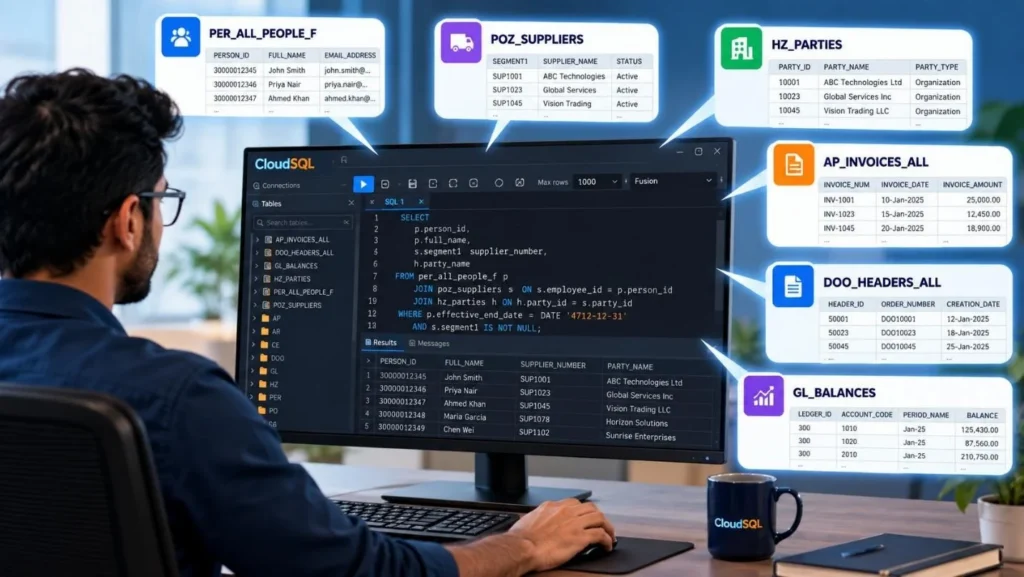
- Implement SQL Editor for development team: An SQL Editor is essential for BI Publisher data model development. Oracle BI provides a limited SQL editor for Oracle developers, and Oracle does not allow direct connection to the database. Traditional SQL editors do not work with Oracle Fusion. Much of the developer time can be saved by implementing an SQL Editor like CloudSQL organization-wide.
Must Read: Oracle Fusion Data Model & Table Structure Overview
Performance Optimization Techniques
Performance issues in BI Publisher often arise from heavy SQL queries running, unnecessary data extraction, or poorly tuned workloads. These can lead to long report run times, high resource usage, and frustrated business users.
Proactively optimizing reports not only improves speed but also ensures system stability when multiple users run complex reports simultaneously.
- Enable SQL pruning: SQL pruning allows BI Publisher to automatically remove unused columns from the query at runtime, ensuring only the fields needed for the report layout are extracted. This reduces data payload size, improves execution speed, and lowers database strain.
To Enable the Property
Step 1: Open your Data model and click Edit → Properties.

Step 2: Locate the property “Enable SQL Pruning” and set its value to “On”

Step 3: Save the changes.
- Use Explain Plan & Trace: Rely on the database’s diagnostic and Explain Plan features to catch and resolve slow-running queries. In the data models, there is an Explain button.


Tip: Schedule query tuning reviews monthly and baseline performance metrics for ongoing improvement.
- Audit Execution Metrics: Use built-in BI Publisher logs to monitor report runtime and failures, optimizing schedules accordingly
Step 1: Go to: Navigator → Tools → Reports and Analytics.
Step 2: Open the BI Publisher catalog, find your report, and choose View Report Job History (from more).

Step 3: This shows: start time, end time, status, and sometimes row counts.
Tip: Set up automated alerts for report failures or runtime spikes so issues are addressed before end users notice
- Tune Heavy Workloads: For high-complexity outputs, consult Oracle’s DOC IDs and leverage burst processing, splitting loads across multiple servers.
Tip: Stagger schedules for extensive reports and avoid running them alongside other critical jobs.
Advanced Optimization: Parallelism & Caching
Parallelism means breaking up a large query or processing job into multiple threads or processes so work can execute simultaneously, thus reducing total execution time. Caching refers to storing query results or computations temporarily so that repeated requests can be served without hitting the database again. Oracle BI Publisher / BI Server offers both features to enhance performance at scale.
- Query Caching & Aggregates: High-concurrency environments can leverage BI Server’s query caching and summary aggregates. This approach stores common query results, reducing response times for repeat requests and shared dashboards.
Tip: Identify reports with recurring queries and prepare aggregate datasets to prevent repeated heavy computation
- Leverage Fusion Middleware Tuning: Adjust thread pools, memory limits, and configuration parameters in Middleware Control or NQSConfig.INI for better throughput.
Tip: Document all tuning changes; test for stability after each edit and monitor for unintended impacts.
- Thread Pool: This is a pool of worker threads (or processes) that handle incoming query or report requests. Tuning thread pools ensures enough parallelism to serve concurrent requests, but you avoid overwhelming the system.
- Memory Limits: these define how much memory (heap, JVM, cache buffers) the BI Server or associated components can use. Adequate memory is necessary so caching and intermediate operations don’t spill or degrade.
- Other Configuration Parameters: Cache size thresholds (max entries, max rows per cache entry), polling intervals for cache across nodes (CACHE_POLL_SECONDS), whether sub-request caching is enabled, and disk paths for cache storage
In NQSConfig.INI, many advanced tuning parameters reside, including cache settings, virtual table page sizing, and temporary storage settings. Oracle Docs+1 The file controls how the BI Server behaves under load, including caching, memory usage, and how aggressively it purges or maintains cache entries.
You Should Read: Oracle Fusion Reporting Challenges Explained
Handling OTBI vs. BI Publisher Scenarios
OTBI (Oracle Transactional Business Intelligence) is excellent for operational analytics and quick insights, but it does have built-in limitations:
- Row Limits: Typically capped at ~75,000 rows per extract.
- Complex Joins: Struggles when joining multiple subject areas or huge tables.
- Advanced Logic: Limited ability to handle heavy transformations or advanced calculations.
When Do OTBI Works Best?
- Dashboards and KPIs that refresh often.
- For example, a department manager responsible for procurement may need to track how many purchase orders are still open and which buyers they are assigned to. Using OTBI, the manager can quickly run an “Open Purchase Orders by Buyer” report, refresh it daily, and immediately see if workloads are balanced or if approvals are stuck. This gives operational visibility without relying on IT teams, making it ideal for fast decision-making at the department level.
- Self-service queries where speed and ease of use matter more than scale.
Tip: For reports requiring multi-subject area data or cross-application info, design for BI Publisher or use a reporting extension.
When to Shift to BI Publisher?
BI Publisher is purpose-built for structured, formatted, and large-volume reporting. It becomes the natural choice when:
- You need regulatory or statutory reports (e.g., tax, audit, payroll summaries).
- The dataset exceeds OTBI row limits or spans multiple subject areas.
- Output must be highly formatted (branded PDF, Excel, XML for integrations).
- Reports need scheduled delivery to multiple recipients or bursting to different business units. XML Bursting.
Example: If Finance requests a monthly “Trial Balance Report” with 200,000 rows across multiple ledgers, OTBI will fail. BI Publisher can handle it with a well-designed SQL data model and template.
Tip: Map out reporting requirements and prototypes, test OTBI first, shift to BI Publisher when constraints are hit.
Choosing Intelligently
The key is not to think of OTBI vs. BI Publisher as competing tools; they are complementary:
- Use OTBI for exploration, ad-hoc, dashboards, and real-time KPIs.
- Use BI Publisher for formal reporting, compliance, large datasets, and formatted outputs.
Practical Guideline
- Ask: Who is the audience? (Manager vs. Regulator)
- Check: What’s the volume? (10K rows vs. 200K rows)
- Decide: Does it need Excel/PDF formatting or just a dashboard chart?
Aligning tool choice with business needs ensures reports are efficient, compliant, and maintainable. Oracle itself recommends this tiered approach: lightweight analytics in OTBI and heavy-duty reporting in BI Publisher.
Step-by-Step Developer Workflow
| Stage | Action | Pro Tip |
| 1 | Review existing reports to check if business requirements are already satisfied | Use a centralized catalog of reports accessible to the entire team. |
| 2 | Document requirements definition | Use Oracle-recommended documentation formats for clarity and standardization. |
| 3 | Select OTBI for ad-hoc queries, BI Publisher for scheduled outputs | Review business requirements before choosing the tool; consider scalability. |
| 4 | Build simple data models with only the required columns | Document the data model and anticipate future needs to minimize rework. |
| 5 | Design the report layout | Use predefined templates for consistent formatting and branding. |
| 6 | Review and tune performance using Explain Plans, auditing, and metrics | Store tuning results to benchmark and track improvements. |
| 7 | Conduct peer review of data model and report design | Peer feedback helps catch issues early and ensures design consistency. |
| 8 | Perform unit testing by the developer | Document results with evidence (e.g., screenshots). |
| 9 | Store all code and report files in the version control tool | Ensure every change is tracked before moving to higher environments. |
| 10 | Conduct iterative testing (SIT, UAT) and apply fixes | Involve business users early to validate functionality. |
| 11 | Release to production by the release manager | Follow a structured release process to ensure governance and control. |
| 12 | Optimize caching, aggregation, and templates | Run automated regression tests after changes to maintain quality. |
Real-world Insight from Community & Oracle Docs
Diagnosing report timeouts and inconsistent performance starts with database logs and BI Publisher diagnostics. Cloud deployments especially benefit from close monitoring of environmental metrics and usage patterns.
Tip: Join Oracle user forums and report communities to stay updated on new troubleshooting strategies and bug resolutions.
You Can’t Miss: Comparison & Guide of Reporting Tools in Oracle Fusion
Frequently Asked Questions (FAQs
What are the built-in tools for Oracle Fusion reporting?
OTBI, BI Publisher, and BICC each serve different analytics and operational reporting needs.
How can I optimize BI Publisher for performance?
SQL pruning, Explain Plan, caching, light template design, and robust schedules all improve performance.
When should I use BI Publisher vs. OTBI?
Switch to BI Publisher for large datasets, highly formatted output, or multi-source reports where OTBI is limited.