SQL development for Oracle Fusion Cloud is quite similar to SQL development in any Oracle Database, but there are a few key differences new developers should be aware of.
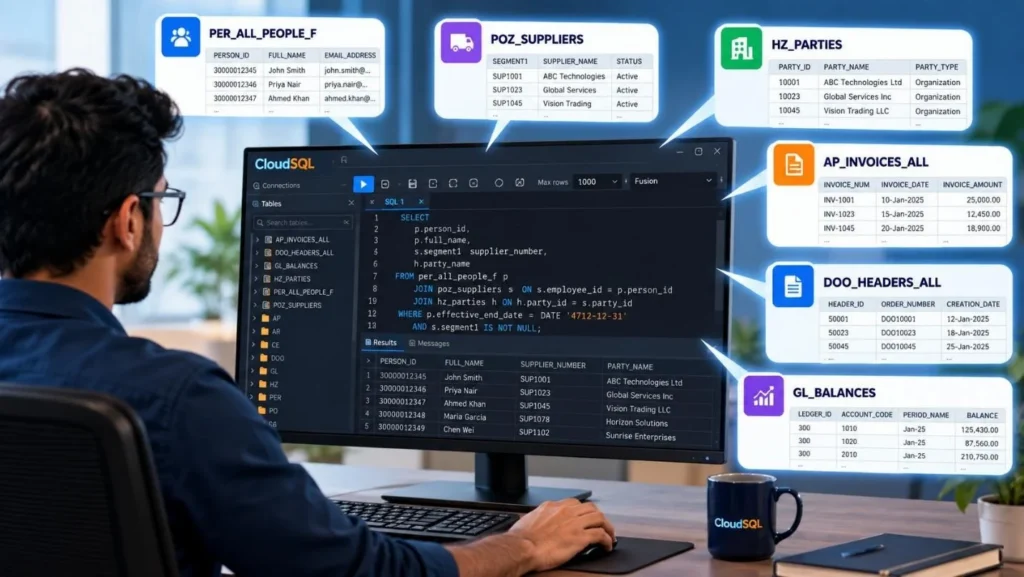
- Oracle Fusion Cloud does not provide direct database access; there are no TNS entries available for direct connection. This limitation can be worked around using an SQL editor like CloudSQL, which closely mimics direct connectivity.
- Only SQL-based SELECT queries are allowed; data updates via procedural logic or PL/SQL are not supported.
To understand the Fusion database structure, developers need to refer to the module-specific documentation for table structures and relationships. Oracle provides detailed table structures for each module, such as HCM, SCM, and Finance. These should always be reviewed when deciding on joins and columns. You can find this documentation on Oracle’s official Fusion Cloud portals.
We have seen many developers make recurring mistakes in their Oracle Fusion SQL queries, some common to all Oracle databases, and others unique to Fusion.
In this blog, we will look at the top 10 SQL mistakes developers make in Oracle Fusion Cloud, and how to fix them.
Mistake #1: Using SELECT * Instead of Specific Columns
One of the most frequent mistakes is using SELECT * on Production code. It may look innocuous, but it adds to the data payload, degrades performance, and reveals unwanted columns, particularly an issue in a shared Fusion environment where queries run over large views.
In Fusion, it directly affects OTBI reports, BI Publisher datasets, and CloudSQL exports, as each additional column increases network and memory load. It can even trigger errors when multiple tables contain columns with the same names.
Instead, always mention only the columns you really need. You can discover these columns in Oracle’s official documentation for every module.
Example
| Don’t SELECT * FROM PER_ALL_PEOPLE_F; | SELECT PERSON_ID, FULL_NAME FROM PER_ALL_PEOPLE_F; |
When joining multiple tables, using SELECT * becomes even riskier.
For Example
SELECT * FROM per_all_people_f, per_all_assignments_f;
Here, both tables have columns like Effective_start_date, Effective_end_date, Person_id, creating conflicts or duplicate column names.
If you are working with CloudSQL, you can sidestep this problem altogether. The DB Browser allows you to browse tables visually and merely paste the columns you require into your query. Have a look at the screenshot below for CloudSQL’s “Copy Columns” feature.
Here, both tables have columns like Effective_start_date, Effective_end_date, Person_id, creating conflicts or duplicate column names.
If you are working with CloudSQL, you can sidestep this problem altogether. The DB Browser allows you to browse tables visually and merely paste the columns you require into your query. Have a look at the screenshot below for CloudSQL’s “Copy Columns” feature.
Also Read: Migrating Data from Oracle eBusiness Suite to Oracle Fusion Cloud ERP
Step 1: Search for the Table from the Database Browser
Click on the Database Browser panel on the right, type the table name (e.g., PER_ALL_PEOPLE ) into the search bar, then click on the table name from the filtered list.

Step 2: Choose the Columns
Look through the columns and pick the columns you want, then copy them by clicking the Copy icon for your query.

Step 3: Paste the Columns into the Query Editor
After selecting and copying the columns you need, go to the SQL worksheet and paste them.

Mistake #2: Missing Joins Between Key Tables
A missed or bad join is a quiet killer in Fusion SQL. It is common to miss relationships in intricate modules such as HCM or Payroll, where the tables are highly interconnected. Developers frequently insert numerous tables into the FROM clause but fail to add all required joins.
A rough rule of thumb: If you’ve got n tables, you should have at least n–1 joins. This isn’t always correct (particularly when there are several joins between two tables), but it’s a proper sanity check.
A typical example is querying FND_FLEX_VALUES on just FLEX_VALUE_NAME and not filtering on FLEX_VALUE_SET_ID. Omitting the join can return wrong or duplicate data.
To correct this, always refer to Oracle’s module documentation to learn primary–foreign key relationships. For example, in HCM, the join between PER_ALL_PEOPLE_F and PER_ALL_ASSIGNMENTS_F must be on PERSON_ID.
You can even picture the right join flow with a basic ER diagram, good practice before writing any multi-table query.

Mistake #3: Forgetting Effective Date Filters
Oracle Fusion’s HCM tables are often date-effective, meaning data changes are tracked across time using EFFECTIVE_START_DATE and EFFECTIVE_END_DATE. This design helps maintain historical and future records for employees, assignments, jobs, and more.
However, developers often forget to include proper date filters in their SQL, leading to duplicate or outdated records in reports and integrations. Understanding how to filter for current or active records is key to ensuring accurate results.
You can refer to the official Oracle documentation on date-effective tables here for more details.
Problem: Missing or incorrect date filters can return multiple rows for the same entity.
Example: An employee might have both historical and active records if the query doesn’t restrict by effective dates.
Fix: Add conditions to ensure only active records are fetched.
WHERE SYSDATE BETWEEN paaf.effective_start_date AND paaf.effective_end_date

  AND SYSDATE BETWEEN papf.effective_start_date AND papf.effective_end_date
This ensures that only current, valid records are included in your results.
Must Read: Oracle Fusion BI Report Development Tools, Best Practices & Optimization
Mistake #4: Inefficient WHERE Clauses
The WHERE clause is an Oracle Fusion SQL decision-maker; it dictates how well your query cuts data before the joins and aggregations are executed. Developers vastly underappreciate it in terms of its performance and accuracy impact.
Some common pitfalls include creating non-sargable filters (such as UPPER(column)) or filtering too late in the query logic. These small mistakes can lead the database optimizer to skip indexes, perform full table scans, and eventually slow down your data models and BI reports.
Example of Inefficient Filtering: WHERE UPPER(INV.INVOICE_NUM) = UPPER(INV2.INVOICE_NUM);
In this example, the function UPPER() prevents Oracle from using any existing index on INVOICE_NUM and forces a full table scan. Alternatively, use an indexed column, such as INVOICE_ID, in the join and avoid unnecessary conversions.
Mistake #5: Overusing Nested Subqueries
Nested subqueries are powerful but can make SQL slower, more challenging to read, and more troublesome to maintain if overused.
In Oracle Fusion, where most tables are large and date-effective, excessive nesting can cause the optimizer to repeat the same logic many times, affecting both performance and readability.
A better solution is to substitute highly nested queries with Common Table Expressions (CTEs) in the WITH clause. CTEs enhance query readability, structure, and ease debugging.
Example
The SQL below retrieves the Person Number and the latest (current or future) job name for all employees, with three levels of nested SQL. This significantly reduces code readability.
SELECT
     papf.person_number,
     latest_asg.latest_job_name
FROM
     per_all_people_f papf,
     (
          SELECT
               asg.assignment_id,
               asg.person_id,
               job.name latest_job_name
          FROM
               per_assignments_f asg,
               per_jobs job
          WHERE
               asg.job_id = job.job_id
               AND asg.effective_start_date = (
                    SELECT
                         MAX(a2.effective_start_date)
                    FROM
                         per_assignments_f a2
                    WHERE
                         a2.assignment_id = asg.assignment_id
               )
     ) latest_asg
WHERE
     latest_Asg.person_id = papf.person_id
     AND sysdate BETWEEN papf.effective_start_date AND papf.effective_end_date
To improve readability, the nested SQL has been moved to a WITH clause, leaving the main SQL more readable.
WITH
     inline_latest_asg AS (
          SELECT
               asg.assignment_id,
               asg.person_id,
               job.name latest_job_name
          FROM
               per_assignments_f asg,
               per_jobs job
          WHERE
               asg.job_id = job.job_id
               AND asg.effective_start_date = (
                    SELECT
                         MAX(a2.effective_start_date)
                    FROM
                         per_assignments_f a2
                    WHERE
                         a2.assignment_id = asg.assignment_id
               )
     )
SELECT
     papf.person_number,
     latest_asg.latest_job_name
FROM
     per_all_people_f papf,
     inline_latest_asg latest_asg
WHERE
     latest_Asg.person_id = papf.person_id
AND sysdate BETWEEN papf.effective_start_date AND papf.effective_end_dateWith the CTE, the query is much more readable and easier to manage. The filtering logic for the latest assignments is declared only once at the beginning, and the bulk of the query joins it. It also performs better because Oracle can cache the CTE as one composite, reusable dataset.
You May Read: Oracle Fusion Data Extraction Best Practices
Mistake #6: Not Using Aliases for Table Names
SQL does not require you to use table aliases, as it can usually identify which table a column belongs to by parsing the query. However, it is still essential to use aliases. Without them, your SQL can become confusing and may cause errors, especially when multiple tables are involved.
Always give short, descriptive aliases. For example:
SQL does not require you to use table aliases, as it can usually identify which table a column belongs to by parsing the query. However, it is still essential to use aliases. Without them, your SQL can become confusing and may cause errors, especially when multiple tables are involved.
Always give short, descriptive aliases. For example:
SELECT
     papf.full_name,
     paaf.job_id
FROM
     PER_ALL_PEOPLE_F papf,
     PER_ALL_ASSIGNMENTS_F paaf
WHERE
     papf.person_id = paaf.person_id
Note: Even if your query uses only one table or tables with unique column names, it is still a good practice to use aliases. This helps avoid issues later if you or another developer modifies the SQL and adds more tables, which could create ambiguous column names.
What Should Be the Table Alias?
It is common to use short aliases, such as PAPF for PER_ALL_PEOPLE_F, or meaningful names, such as people and assignments. When doing self-joins, make sure your aliases clearly describe their role, for example, customer_party and bank_party when joining HZ_PARTIES.
Whatever style you choose, follow a team-wide standard for aliases so that all code looks consistent.
It is common to use short aliases, such as PAPF for PER_ALL_PEOPLE_F, or meaningful names, such as people and assignments. When doing self-joins, make sure your aliases clearly describe their role, for example, customer_party and bank_party when joining HZ_PARTIES.
Whatever style you choose, follow a team-wide standard for aliases so that all code looks consistent.
Mistake #7: Missing NULL Handling in Expressions
One of the most underappreciated aspects of SQL coding, particularly in Oracle Fusion, where all datasets have optional attributes or date-effective columns, is handling NULL values. In SQL, NULL does not equal 0 or an empty string; it represents an unknown value.
As a result, any NULL-invoking comparison, equality, or inequality always yields UNKNOWN rather than TRUE or FALSE. This means your query can silently omit valid records unless you explicitly handle NULL values.
Let’s look at a simple example that many developers get wrong:
Select * from per_email_addresses where email_Address <> ‘abc@gmail.com’
At first glance, you might expect this to return all employees whose email address is not ‘abc@gmail.com’.
But it doesn’t.
Why? Because rows where EMAIL_ADDRESS is NULL are ignored. The expression NULL <> ‘abc@gmail.com’ does not evaluate to true; it evaluates to unknown.
So, even though logically those employees “don’t have that email,” they won’t appear in your results.
To include those records, you need to handle NULL values explicitly. A simple and effective way is to use the NVL function:
SELECT
     *
FROM
     PER_EMAIL_ADDRESSES
WHERE
     NVL (EMAIL_ADDRESS, 'null') <> 'abc@gmail.com'
;Here, NVL replaces NULL with the string ‘null’ before comparison, ensuring that rows with missing email addresses are correctly included.
Alternatively, use IS NULL or IS NOT NULL when you specifically want to filter records that have or don’t have data:
SELECT
     *
FROM
     PER_EMAIL_ADDRESSES
WHERE
     EMAIL_ADDRESS IS NULL
;

-- returns records where email is missingSELECT
*
FROM
PER_EMAIL_ADDRESSES
WHERE
EMAIL_ADDRESS IS NOT NULL
;
-- returns records where email existsUsing NVL and COALESCE in Calculations
When dealing with numeric columns or expressions, unhandled NULL values can break calculations or make totals appear smaller than they should be.
Example
| NVL(SALARY, 0) |
This replaces missing salary values with 0, ensuring calculations like SUM(SALARY) don’t skip rows.
You can also use COALESCE, which is more flexible and often more readable when dealing with multiple fallback values:
COALESCE(COLUMN1, COLUMN2, COLUMN3)
It returns the first non-NULL value among the given columns, equivalent to:
NVL(NVL(COLUMN1, COLUMN2), COLUMN3)
You Will Like: Oracle Fusion Joins Explained: Types, Examples, and Best Practices
Mistake #8: Joining Too Many Tables Without Purpose
When using Oracle Fusion SQL, it’s tempting to join all the related tables simply because they may have helpful information. Developers tend to start with a functional query and add tables incrementally as they go, perhaps due to debugging, copying previous queries, or to meet a business need. Soon enough, the SQL is bloated, slow, and challenging to support.
This is particularly prevalent in Finance and SCM modules, where the data model is large and one table may have several levels of relatedness. Adding a single join “just in case” may double the size of your dataset or introduce duplicate records, leading to erroneous results and poor performance.
Another reason this error occurs is due to historical code reuse. When a previous SQL query is reused, developers might retain unused tables in the FROM clause, even if they are no longer functional. Gradually, this creates intricate joins, duplicate relationships, and ambiguity over which tables really matter.
The rule of thumb: Every table joined must have a purpose, either to pull in an essential attribute or to filter out records. If it does nothing else, eliminate it.
Mistake #9: Ignoring Performance Metrics
Most Oracle Fusion developers aim to get a SQL query “running” but never worry about how well it runs.
A query that returns the correct result but takes 5 minutes is not good; it’s a stealth performance problem waiting to become a bigger one.
In on-prem Oracle databases, developers tend to use DBAs or direct database tools to review performance with indexing strategies, hints, or materialized views.
But in Fusion Cloud, direct access to the underlying database is limited. This reinforces the importance of query optimization at the SQL level, since you can’t tune the infrastructure, only the SQL itself.
- Performance issues in Fusion tend to be caused by:
- Queries are retrieving massive sets because of absent filters
- Excessive joins (particularly with date-effective tables)
- Suboptimal use of functions in WHERE clauses
- No testing at runtime and data size
Not paying attention to these metrics not only slows down your query but can also affect the overall performance of OTBI dashboards, BI Publisher reports, and other concurrent BI consumers in the same environment.
Use EXPLAIN PLAN and SQL Monitoring in Oracle Fusion
Oracle Fusion provides built-in tools for analyzing query performance inside the BI Data Model editor. When building or testing a data model, developers can use:
- EXPLAIN PLAN, to view how Oracle parses and executes your query, including join order, cost, and access paths. This helps identify inefficient joins or filters early.

- SQL Monitoring: It is available in the BI Publisher Data Model screen, it gives real-time insights into query execution time and resource usage, helping you detect slow-performing SQLs before deployment.

By reviewing these metrics during development, you can catch performance issues proactively rather than waiting for users to complain about slow reports.
For a deeper dive into SQL tuning techniques and Fusion performance strategies, check out our dedicated blog on Oracle BI Publisher Performance Tuning
You Can’t Miss: Oracle Fusion Data Model & Table Structure Overview
Mistake #10: Not Validating Results with Business Logic
Executing SQL that compiles without errors does not necessarily mean it will return accurate or practical results. In Oracle Fusion, queries frequently run without error but yield invalid results because they lack filters, have incorrectly applied joins, or incorrectly apply business rules.
This particularly happens when working with date-effective tables or multi-entity configurations.
For instance, imagine an HCM query that picks up employee assignments without remembering to include the effective date filter:
SELECT
     PERSON_ID,
     FULL_NAME,
     ASSIGNMENT_ID
FROM
     PER_ALL_PEOPLE_F papf,
     PER_ALL_ASSIGNMENTS_F paaf
WHERE
     papf.PERSON_ID = paaf.PERSON_ID
;Without filtering on EFFECTIVE_START_DATE and EFFECTIVE_END_DATE, this query may return duplicate employee records, some from past assignments and some from current assignments. Technically, the SQL runs fine, but the business result is wrong, and downstream reports or analytics will be unreliable.
Fix: Validate Outputs Against Business Logic
To prevent these issues, always validate your SQL results before handing them off:
- Collaborate with functional consultants or data owners, they can confirm the meaning of each field and the correct filters to apply.
- Unit testing – Run your SQL against different scenarios and datasets. Ensure historical, current, and edge-case records are handled correctly.
- Check for duplicates – Ensure the query returns unique rows unless duplicates are expected. Use Excel or another feature to check for duplicates.
- Validate mandatory columns – All NOT NULL fields should be populated as expected.
- Cross-check against Fusion UI screens – Compare a few sample records from your SQL with the Oracle Fusion interface to confirm accuracy.
- Verify numeric formats – Ensure amounts, currency fields, and decimal points conform to the expected business format.
For instance, combining effective date filters with careful join logic ensures you retrieve only active assignments:
SELECT
     PERSON_ID,
     FULL_NAME,
     ASSIGNMENT_ID
FROM
     PER_ALL_PEOPLE_F papf,
     PER_ALL_ASSIGNMENTS_F paaf
WHERE
     papf.PERSON_ID = paaf.PERSON_ID
WHERE
     SYSDATE BETWEEN papf.EFFECTIVE_START_DATE AND papf.EFFECTIVE_END_DATE
AND SYSDATE BETWEEN paaf.EFFECTIVE_START_DATE AND paaf.EFFECTIVE_END_DATEThis prevents duplicates and aligns your query output with the business expectations.
Bonus Tip: Skipping Tool Support
Most of these errors occur because developers use generic SQL tools that are not optimized for Fusion’s data model.
With CloudSQL, you can graphically navigate Fusion Database, test joins and filters, and identify inefficiencies upfront, all from a single interface.
Sign up for a free CloudSQL trial today and write faster, more intelligent Fusion queries.
Conclusion
We have looked at the ten most common SQL mistakes developers make in Oracle Fusion, from using SELECT * and missing joins, to ignoring date filters and skipping validation. Each of these issues can be avoided with consistent coding habits and the right tools.
Learning to think in terms of Fusion’s view-based data model, optimizing your queries, and validating results regularly will make your SQLs faster, cleaner, and more reliable.
Avoid these pitfalls and speed up your development with CloudSQL, the tool built for Oracle Fusion developers.
Suggested Read: Oracle Fusion Reporting Challenges Explained: Tips, Tools, and Best Practices
Frequently Asked Questions (FAQs)
How can I optimize SQL queries in Oracle Fusion?
You can optimize SQL queries by focusing on writing efficient SQL by:
1. Selecting only the columns you need (avoid SELECT *).
2. Adding proper filters, especially effective date filters for _F tables.
3. Minimizing unnecessary joins and using documented relationships.
4. Handling NULL values properly using NVL, COALESCE, or IS NULL checks.
5. Validating outputs with functional consultants or against Fusion UI screens.
What are common mistakes Fusion developers make with SQL?
Some of the most frequent mistakes include:
1. Using SELECT * instead of specific columns increases data load and slows queries.
2. Missing joins or joining tables incorrectly, leading to duplicates or incorrect results.
3. Forgetting effective date filters on date-effective tables (_F tables), causing historical or expired records to appear.
4. Inefficient WHERE clauses, like using functions on indexed columns.
5. Overusing nested subqueries instead of using joins or CTEs for clarity and performance.
6. Not using meaningful table aliases makes queries harder to read and maintain.
7. Missing NULL handling, which can break joins, calculations, or filters.
8. Joining too many tables without purpose, adding unnecessary complexity, and slowing execution.
9. Ignoring performance metrics, such as query run-time or execution plans, which can lead to slow reports.
10. Not validating results against business logic, resulting in duplicates, missing data, or incorrect calculations.